
Custom domain connected but the site won't open? Check in this order
Last updated: 2026-11-12
Contents · 7
- 1. Read the one-word status on the domain's row first
- 2. Press [Check again] to find the missing half
- 3. The 10 most common mistakes — start at the number that matches
- 4. How long to wait, and how to check from outside
- 5. Still stuck: disconnect and redo it — and fill in this list first
- Frequently asked questions
- Read next
The short version — open [Address & domain] in the editor, read the domain's status, and press [Check again] to see which of ① Site connection and ② Domain ownership is missing. The usual causes are a Host (name) with the domain typed on the end, an old record still on the same name, or the wrong record type — and DNS changes usually take minutes to a few hours to show up.
At a glance
- Time needed
- About 10 min
- Plan required
- Plus
- Coding knowledge
- None
- Where to do it
- Editor
Step by step
- 1
Read the one-word status on the domain's row first
Open [Address & domain] in the editor's left menu and each domain shows its status in one word. “Waiting for setup” means at least one of the two values isn't visible yet, and “Not connected” means the connection didn't go through. “Paused (plan limit)” isn't a DNS problem — it's the plan's limit, so leave your records alone and check the limit first. If it says “Connected” but the site won't open, jump to step 4.
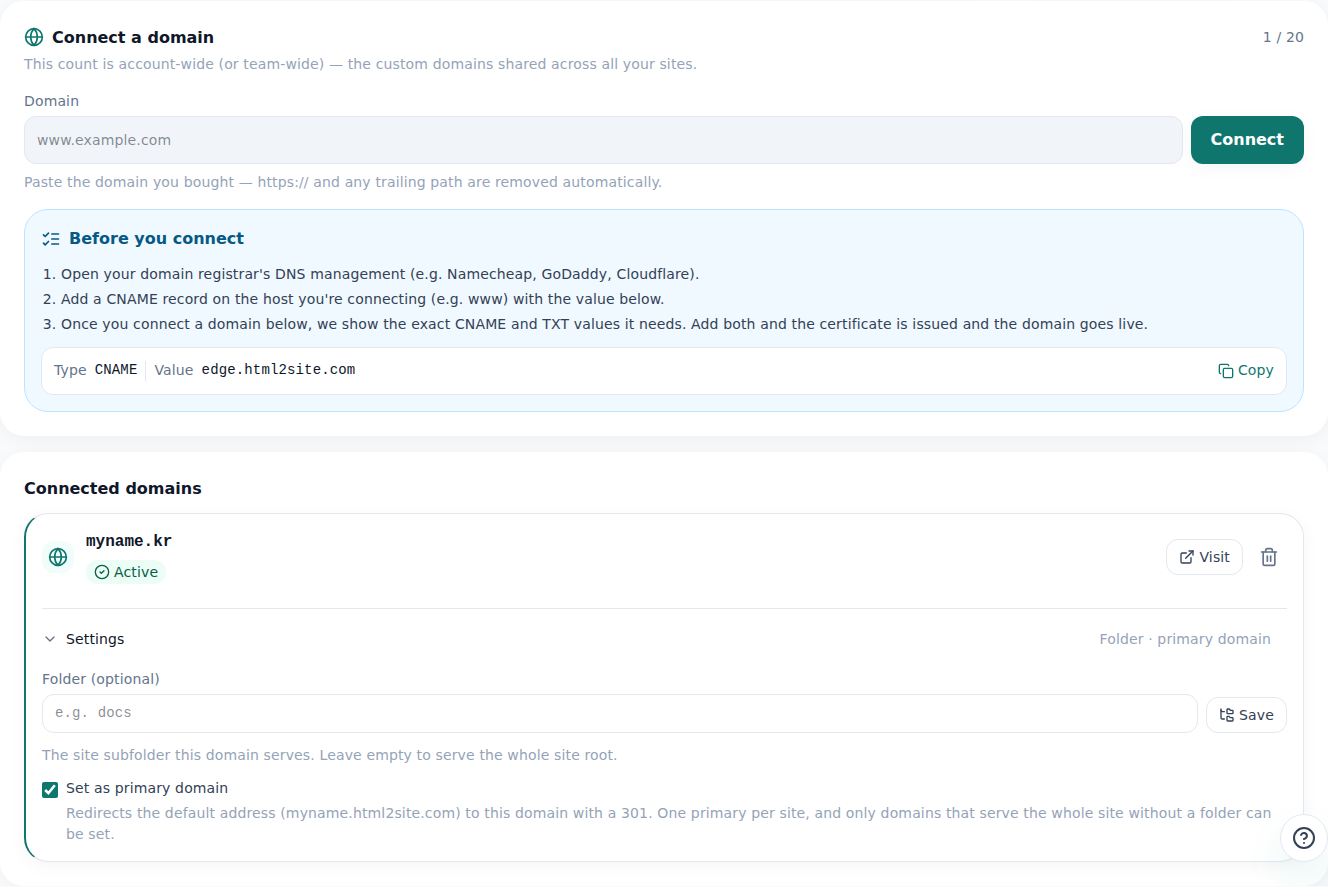
The dot and one word on a domain's row are its current status. - 2
Press [Check again] to find the missing half
On a “Waiting for setup” row, [Check again] looks up both values right now and tells you which of ① Site connection and ② Domain ownership it can't see. While this screen stays open it also re-checks by itself every minute, but after you fix something it's quicker to press the button. Open [Show the values again] to compare what you entered with what the screen expects.
Address & domain › Check again result → where to look firstNeither value is visible yet Start with 8 and 10 in the next step, then 1, 2 and 7① Site connection isn't visible Start with 3, 4 and 6, then 1, 2 and 7② Domain ownership isn't visible Start with 5, then 1, 2 and 7Both values found Secure HTTPS is being set up — usually 1–2 minutesConnected, but the site won't open Check 9, then step 4 (checking from outside) - 3
The 10 most common mistakes — start at the number that matches
Nearly every failed connection is on this list. Begin with the numbers from the step above, and press [Check again] after each fix. Change one thing at a time so you know what actually solved it.
DNS management at your domain provider › 10 common mistakes1. The domain is typed into Host (name) too Host (name) is the front part only (like www). If the field already shows your domain after it, enter just the front part; if it doesn't, enter the full address the screen gives. Get it wrong and you end up with your-domain.com.your-domain.com.2. Wrong record type ① Site connection is a CNAME and ② Domain ownership is a TXT. Entering them as A, MX or another type won't be found.3. An old record is still on the same name Delete the old A, AAAA or CNAME from a previous host and leave only ①. Many providers don't allow a CNAME alongside another record on the same name.4. A proxy (orange cloud) or CDN is switched on Turn the proxy or CDN off for ① and keep it “DNS only”. When it's on, the real target can be hidden and the check may fail.5. Quotes or spaces came along with the TXT value Bring the value over with [Copy], paste it as is, and check there are no spaces or line breaks at either end. If the field adds quotes by itself, don't type your own.6. You connected the address without www An address without www only works if your provider supports a “root CNAME” (flattening or ALIAS). Switch with [Connect www.your-domain.com] on the row, and send the bare address to it with domain forwarding.7. A typo, or the value got cut off Don't retype — use [Copy]. Reopen the saved record and compare the value with the screen all the way to the last character.8. DNS is managed somewhere else If you pointed the domain's nameservers to another service, the records belong in that service's DNS screen. Values added where you bought the domain are ignored.9. You opened a different address than the one you connected If you connected www.your-domain.com, the bare your-domain.com won't open. Open the address exactly as written on the domain's row.10. The records were never saved After adding them, did you press [Save] or [Apply]? Both ① and ② should be listed. Sometimes they went into a similarly spelled other domain. - 4
How long to wait, and how to check from outside
Values usually show up within minutes to a few hours, and now and then a provider takes a day or two — it varies. Use an online DNS lookup tool or the commands below to see whether your value is visible from outside. If your value appears, it's about to connect, so wait; if nothing appears or an old value does, go back to your domain provider. Once both values are found, HTTPS is set up next (usually 1–2 minutes), so a warning can flash up in between.
DNS lookup commands (in a terminal on your computer)nslookup -type=CNAME www.your-domain.comnslookup -type=TXT <the full TXT host shown on screen>dig CNAME www.your-domain.com +shortdig TXT <the full TXT host shown on screen> +short - 5
Still stuck: disconnect and redo it — and fill in this list first
Under [Disconnect domain], press [Remove], then [Connect] to start over, and the values to enter appear on screen again. Delete the two old lines you added at your domain provider and copy in the values you now see with [Copy]. Your default address keeps working meanwhile. If it still fails, fill in the list below and paste it into your message — and never include your account password.
Checklist before asking for help1. The address I tried to connect: 2. Where I bought the domain / where DNS is managed: 3. Status on screen: (Waiting for setup · Not connected · Connected · Paused (plan limit))4. [Check again] result: (which is missing: ① Site connection or ② Domain ownership)5. When I added the values: (date · time)6. What I typed in Host (name): 7. Other records already on that name (A · AAAA · CNAME): 8. Proxy (orange cloud) or CDN on or off: 9. Outside lookup result (nslookup · dig):
Frequently asked questions
I connected my domain but the site won't open. Where do I start?
Read the status on the domain's row in [Address & domain], then press [Check again] to see which of ① Site connection and ② Domain ownership is missing. Compare that record's Host (name), Type and Value with [Show the values again]. The most common causes are the domain typed into Host (name), an old record left on the same name, and the wrong record type.
How long does a custom domain take to connect?
Usually minutes to a few hours after you add the values, and occasionally a day or two — it depends on your domain provider, so there's no fixed time. The screen normally finishes checking within about 10 minutes, but if one value is still missing after several hours, it's time to re-check your records rather than keep waiting.
The site opens but HTTPS (the padlock) doesn't show. Why?
Right after both values are found, secure HTTPS is still being prepared — usually 1–2 minutes — so a warning may appear or the address may not open yet. Refresh after a few minutes. You don't buy or configure a certificate. If it stays that way for long, press [Check again] to confirm both values were found.
www opens but the address without www doesn't.
An address without www (a root domain) connects only if your domain provider supports a “root CNAME” (CNAME flattening or ALIAS). Usually you connect the www address and send the bare address to it with your provider's “domain forwarding”.
Is my site okay if I disconnect the domain and connect it again?
Yes. Disconnecting only stops the site opening on that domain; your default address and your content stay as they are. To reconnect you add the values at your domain provider again from the start — delete the old lines and use the new values the screen shows.
It says “Paused (plan limit)”. Did I enter DNS wrong?
No. That status comes from your plan's domain limit, not from your DNS values. Don't delete or change the records — check your plan and how many domains you've connected first.
Read next
- How to connect your own domain to your site Step-by-step guide to connect your own domain to a published HTML site: enter the address, add the CNAME and TXT values at your domain provider, wait for Connected, HTTPS automatic (from Plus)
- Start on a free address, add your own domain later How to start on a free address and add your own domain later: which one you need, buying a domain separately, connecting from Plus, two DNS values, waiting for DNS, automatic HTTPS (English)
- SPA gives a 404 on refresh? One setting fixes it How to fix 404 on refresh for React and Vue single-page apps on static hosting, using the SPA setting and how it interacts with the 404 page (English)
- How to choose free HTML hosting: 8 things to check before you commit 8 things to check before choosing free HTML hosting (ads and badges, time limits, custom domain, HTTPS, storage and traffic limits, exporting your site, rollback, commercial use and terms), 8 questions to copy, and how HTMLtoSITE answers each (English)
Trying it is faster than reading about it — paste your HTML and publish it in a minute.