
Changing your plan or canceling — what happens, and when
Last updated: 2026-08-10
Short version — upgrading charges the prorated difference and takes effect the instant you confirm it. Downgrading and canceling always wait until your next billing date, and you can undo either one anytime before that date arrives.
At a glance
- Time needed
- About 3 min
- Plan required
- Free plan
- Coding knowledge
- None
- Where to do it
- Account
Step by step
- 1
Upgrades take effect the moment you confirm
Say Momo Coffee upgrades from Starter to Advanced to unlock a bigger booking form this month — the instant you pick the higher plan, only the prorated difference for the time left in this cycle gets charged, and you get the higher plan's features right away. Your renewal date doesn't move; you're just moved to a higher tier within the same billing cycle.
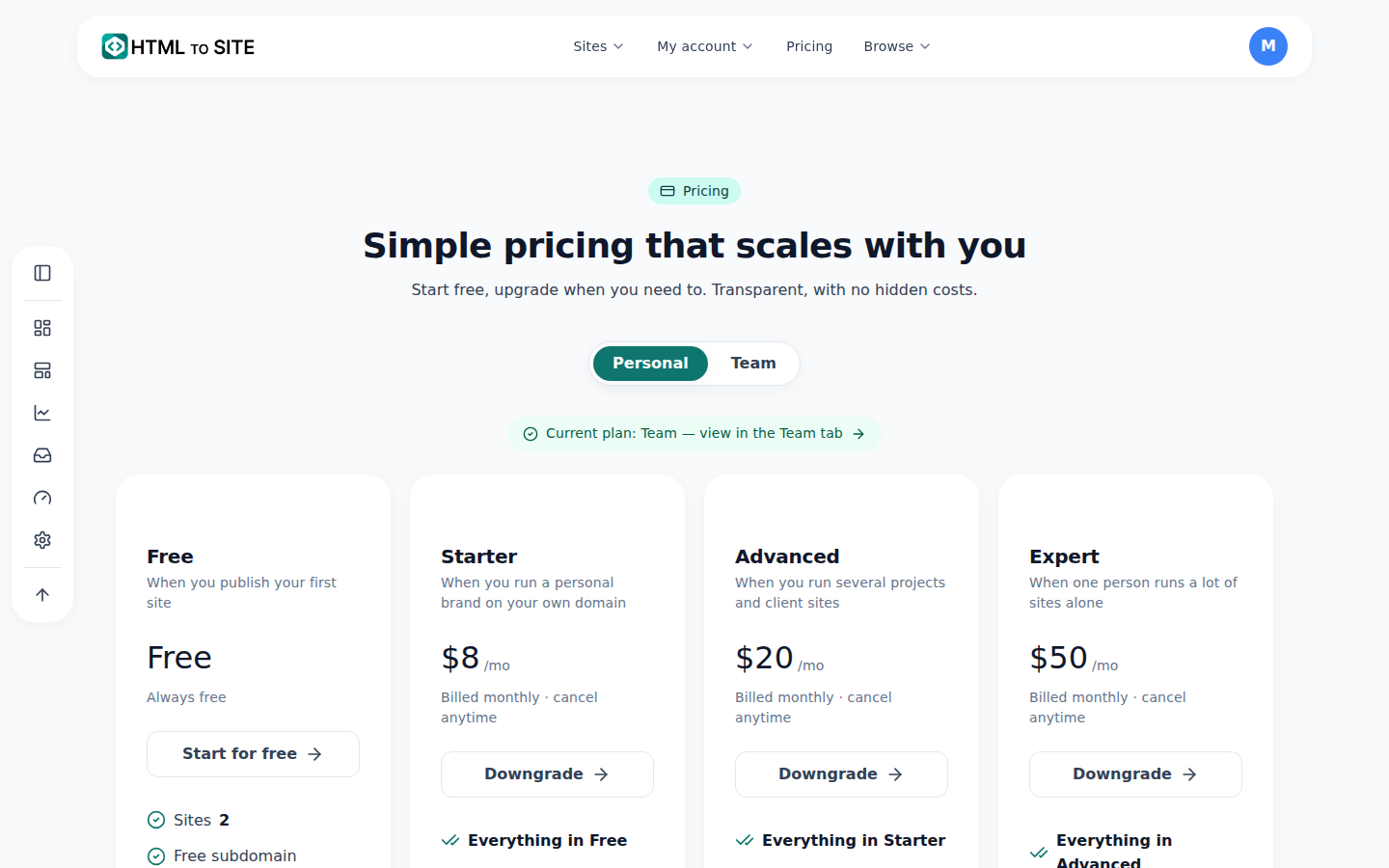
Compare the limits here before deciding to move up or down. - 2
Cancel, and you keep what you already paid for
Say Momo Coffee doesn't need the higher tier this season and cancels — the plan doesn't drop on the spot. You keep full access through the end of the billing period you already paid for, and only after that date do you land on having no active subscription — the free plan.
Plan › CancelPlan Advanced (cancellation scheduled)Access until End of current billing periodAfter that No active subscription (free plan) - 3
You can undo a scheduled downgrade or cancellation before the billing date
Changed your mind? The schedule can be undone. Whether it's a downgrade or a cancellation, you can cancel the schedule anytime before the next billing date and keep your current plan running. Once the billing date passes and the change has already taken effect, reversing it means upgrading again — not undoing a schedule.
Plan › Scheduled changeScheduled change Cancellation → Free planTakes effect Next renewal dateUndo window Anytime before the billing date - 4
Viewing this from an installed app? Buy from a browser instead
Open the site as an installed app (PWA) and purchase actions — upgrading, starting a new subscription — are blocked by design. Store policy keeps buy buttons from appearing inside the installed app, though you can still check your current plan and usage. To actually change plans, open the same address in a regular browser.
Plan (viewing from the app)Screen Plan (viewing from the app)Available Current plan & usageBlocked Upgrade · downgrade · cancelFix Open in a web browser
Frequently asked questions
If I cancel, do I drop to the free plan right away?
No — it takes effect on the day your current billing period ends. Until then, you keep your current plan.
Can I cancel a scheduled cancellation?
Yes, you can cancel it anytime before the billing date.
Does the free plan require a card?
No — free isn't a subscription product, it's just the state of having no active subscription, so no card is needed.
Does upgrading take effect immediately?
Yes — the price difference is calculated and charged right away.
I'm using the installed app — can I pay from here?
No — purchases are blocked inside the installed app. Open it in a browser instead.
Read next
- Check your billing history and request a refund How to check payment history on /billing and request a refund on YavePay within 24 hours of an unused payment (English)
- Check your usage — sites, storage, domains, and AI, all in one place How to check sites, storage, domains, and AI usage — split across all/personal/team scopes — at /usage (English)
- Connect your own domain — two DNS records, then it's automatic How to connect a domain you own to a published site and get HTTPS issued automatically (English)
- Create a team and invite members to manage a site together How to create a team, invite members with roles, and understand resource allocation and seat limits (English)
Trying it is faster than reading about it — paste your HTML now.