
You asked Perplexity for a website. Here's how to put it online.
Last updated: 2026-08-10
Short version — paste the HTML Perplexity gave you into the box on htmltosite.com and press “Get my address.” Your site goes live on a real URL in about 60 seconds. No server, no install, no credit card.
At a glance
- Time needed
- About 1 min
- Plan required
- Free plan
- Coding knowledge
- None
- Where to do it
- Paste box on the home page
Step by step
- 1
Ask Perplexity for the page
Describe what you want and Perplexity writes the HTML for you. Ask for it “as a single HTML file” so the styling ships in the same file — that turns the next step into one paste instead of several. Grab the code with the copy button on the code block and you're ready to go.
Perplexity
Build a landing page for my local florist as a single HTML file, with bouquet options, our location, and an order-inquiry button.index.html Copy<section class="hero"> <h1>…</h1></section> - 2
Paste it into HTMLtoSITE
Drop the code into the box on the homepage and a live preview appears right next to it — the real page, not a thumbnail. No account needed yet; just look it over first. Scripts written into the page sit idle in the preview and run normally the moment you publish.
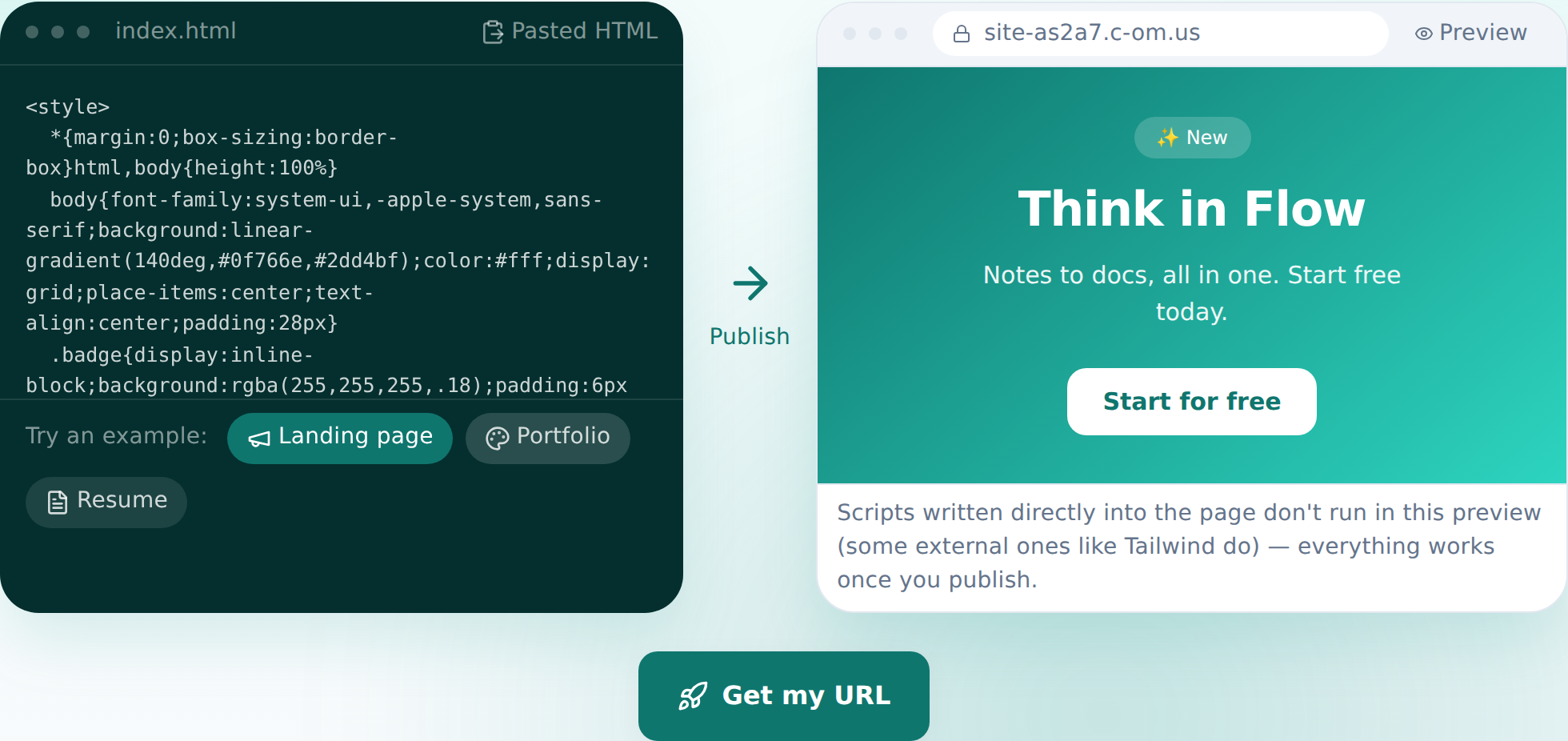
The preview shows up the instant you paste — this is the actual screen. - 3
Press “Get my address” and choose a name
Like what you see? Press the button, sign in once (your pasted code carries over), pick a name, and you're published. The site is live on the internet from that moment. The free plan covers 2 sites and never asks for a card.
myname.html2site.com LivePublishing hands you an address like this right away. Bring your own domain on Starter and HTTPS is set up automatically.
- 4
Edit by talking next time
You won't need to go back to Perplexity for changes. Tell the editor what you want changed, and the AI finds the right code, shows you the diff before applying it, and lets you revert in one click if you change your mind.
Edit assistantMake the headline stronger Updated 3 spots — happy to revert if it's not right.
Frequently asked questions
Is it actually free?
Yes — up to 2 sites stay free, and we never ask for a card. Free sites carry a small “Made with HTMLtoSITE” badge, which disappears once you're on Starter or above.
Does the code Perplexity generated work as-is?
Yes. Whatever HTML you paste gets published exactly as written. Scripts embedded in the page just sit idle in the pre-publish preview — once live, everything runs normally.
Can the site have more than one page?
The free plan hosts a single HTML file per site. Multi-file setups — sub-pages, image folders — become available starting on Starter.
Can I connect a domain I already own?
Yes. From Starter up, connecting a domain you own automatically issues an HTTPS certificate too. On the free plan you use the html2site.com address you're given.
Can I make edits without knowing code?
Yes. Type a request like “change the button text” in the editor and the AI edits the code for you. You can also click an element to point at it, and every publish saves a snapshot you can roll back to.
Read next
- You asked ChatGPT for a website. Here's how to put it online. Step-by-step guide to publishing ChatGPT-generated HTML on a real address in 60 seconds, no server needed (English)
- You asked Claude for a website. Here's how to put it online. Step-by-step guide to publishing Claude-generated HTML on a real address in 60 seconds, no server needed (English)
- Get your site found — by search engines and AI answers alike How to get a published site found by search engines and AI answers (AEO) — from Branding settings to structured data (English)
- You already have an HTML file. Here's how to put it online. Step-by-step guide to publishing an existing HTML file on a real address in 60 seconds, no server needed (English)
Trying it is faster than reading about it — paste your HTML now.