
You asked DeepSeek for a website. Here's how to put it online.
Last updated: 2026-08-10
Bottom line — paste the HTML DeepSeek wrote for you into the box on htmltosite.com and click “Get my address.” Your site is live at a real URL in roughly 60 seconds. No server, no install, no credit card.
At a glance
- Time needed
- About 1 min
- Plan required
- Free plan
- Coding knowledge
- None
- Where to do it
- Paste box on the home page
Step by step
- 1
Ask DeepSeek to build the page
Tell DeepSeek what page you need and it writes the HTML for you. Add “as a single HTML file” to the prompt so the CSS lands in the same file — that turns the next step into one paste instead of several. Copy the code block with the button in its corner and you're ready.
DeepSeek
Build a landing page for my local photo studio as a single HTML file — include shoot packages, the location, and a booking button.index.html Copy<section class="hero"> <h1>…</h1></section> - 2
Paste it into HTMLtoSITE
Drop the code into the input box on the homepage and a live preview renders right beside it — not a screenshot, the actual page. No account needed yet, so judge it with your own eyes first. Any script written directly into the page stays paused during preview and runs normally the moment you publish.
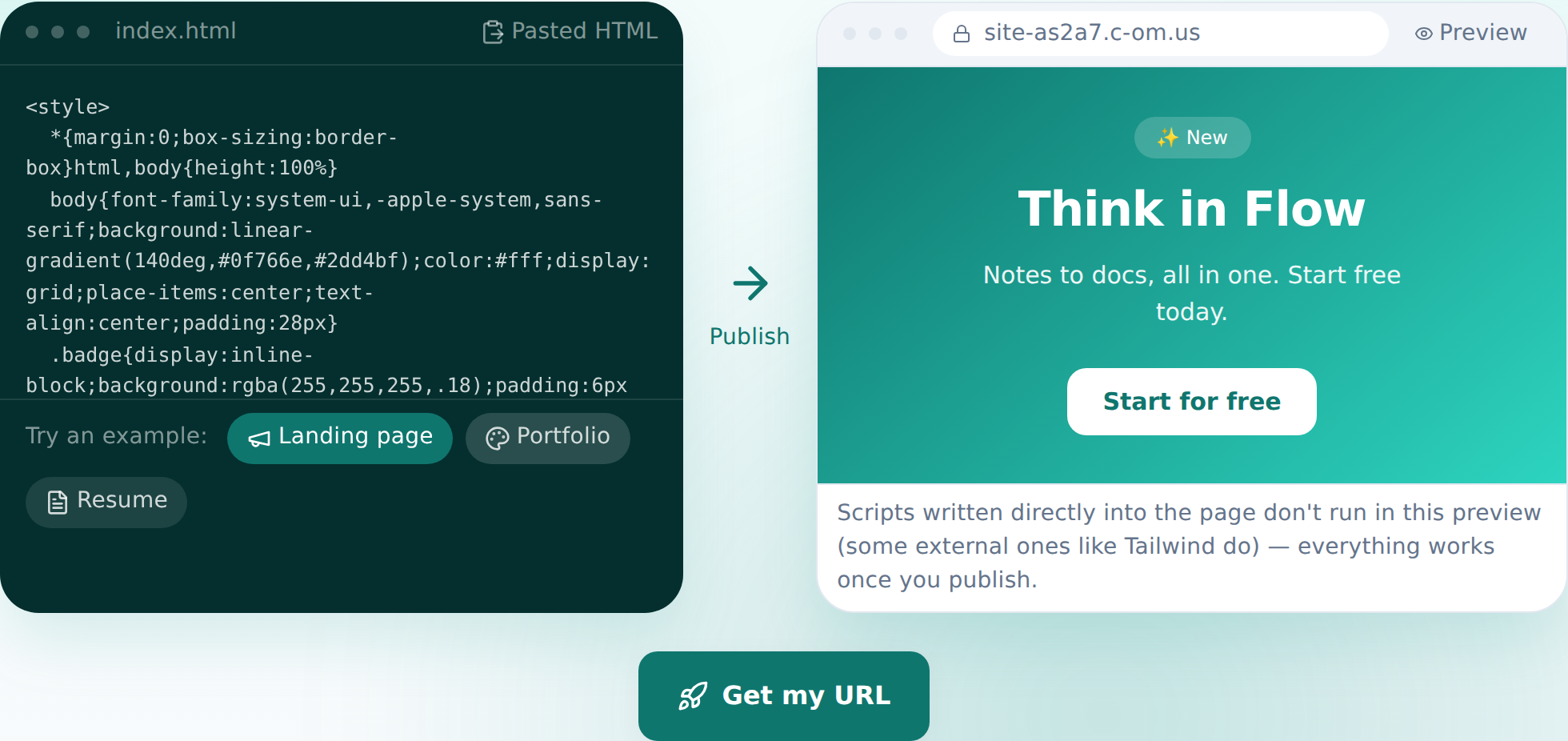
Paste it in and the preview shows up instantly — this is the real screen, not a mockup. - 3
Click “Get my address” and choose a name
Once the preview looks right, click through. Sign in once — your pasted code carries over untouched — pick a name, and you're published. The site goes live the instant you confirm. Free plan, up to 2 sites, no card required.
myname.html2site.com LivePublishing hands you an address like this right away. Already own a domain? Connect it on Starter, and HTTPS gets configured automatically.
- 4
For edits later, just describe them
No need to loop back to DeepSeek for changes. In the editor, describe what you want changed and the AI locates the relevant code, edits it, and shows you the diff before you commit. Don't like the result? One click undoes it.
Edit assistantMake the booking button stand out more Updated 2 spots — happy to revert if it's not right.
Frequently asked questions
Is it actually free?
Yes — up to 2 sites stay free indefinitely and we never ask for a card. Free sites show a small “Made with HTMLtoSITE” badge; that badge goes away starting on the Starter plan.
Does the code DeepSeek generates work without changes?
Yes. Whatever HTML you paste gets published exactly as-is. Scripts embedded in the page are paused in the pre-publish preview only — once the site is live, everything runs normally.
Can the site have more than one page?
The free plan is built around a single HTML file. Multi-file setups — sub-pages, image folders — become available starting on Starter.
Can I point my own domain at it?
Yes. From Starter onward you can connect a domain you already own, and the HTTPS certificate is issued automatically. On the free plan you just keep the html2site.com address you're given.
Can I make edits without touching code?
Yes. Type a request like “change the package prices” in the editor and the AI edits the underlying code for you. You can also click an element to point at it directly, and every publish saves a snapshot you can roll back to.
Read next
- You asked ChatGPT for a website. Here's how to put it online. Step-by-step guide to publishing ChatGPT-generated HTML on a real address in 60 seconds, no server needed (English)
- You asked Claude for a website. Here's how to put it online. Step-by-step guide to publishing Claude-generated HTML on a real address in 60 seconds, no server needed (English)
- You asked Qwen for a website. Here's how to put it online. Step-by-step guide to publishing Qwen-generated HTML on a real address in 60 seconds, no server needed (English)
- You already have an HTML file. Here's how to put it online. Step-by-step guide to publishing an existing HTML file on a real address in 60 seconds, no server needed (English)
Trying it is faster than reading about it — paste your HTML now.