
You asked ChatGPT for a website. Here's how to put it online.
Last updated: 2026-08-07
Short version — paste the HTML ChatGPT gave you into the box on htmltosite.com and press “Get my address”. Your site is live on a real URL in about 60 seconds. No server, no install, no credit card.
Step by step
- 1
Ask ChatGPT for the page
Describe the page you want and ChatGPT writes the HTML. Add “as a single HTML file” to your prompt so the styling ships in the same file — it makes the next step one paste instead of many. Then hit the copy button on the code block. That's all the preparation there is.
ChatGPT
Make a landing page for my coffee shop as a single HTML file, with a menu, a map section, and a contact button.index.html Copy<section class="hero"> <h1>…</h1></section> - 2
Paste it into HTMLtoSITE
Drop the code into the box on the homepage and the page renders next to it instantly — the real thing, not a thumbnail. No sign-up needed yet; check it with your own eyes first. Scripts written into the page pause in the preview only and run normally once published.
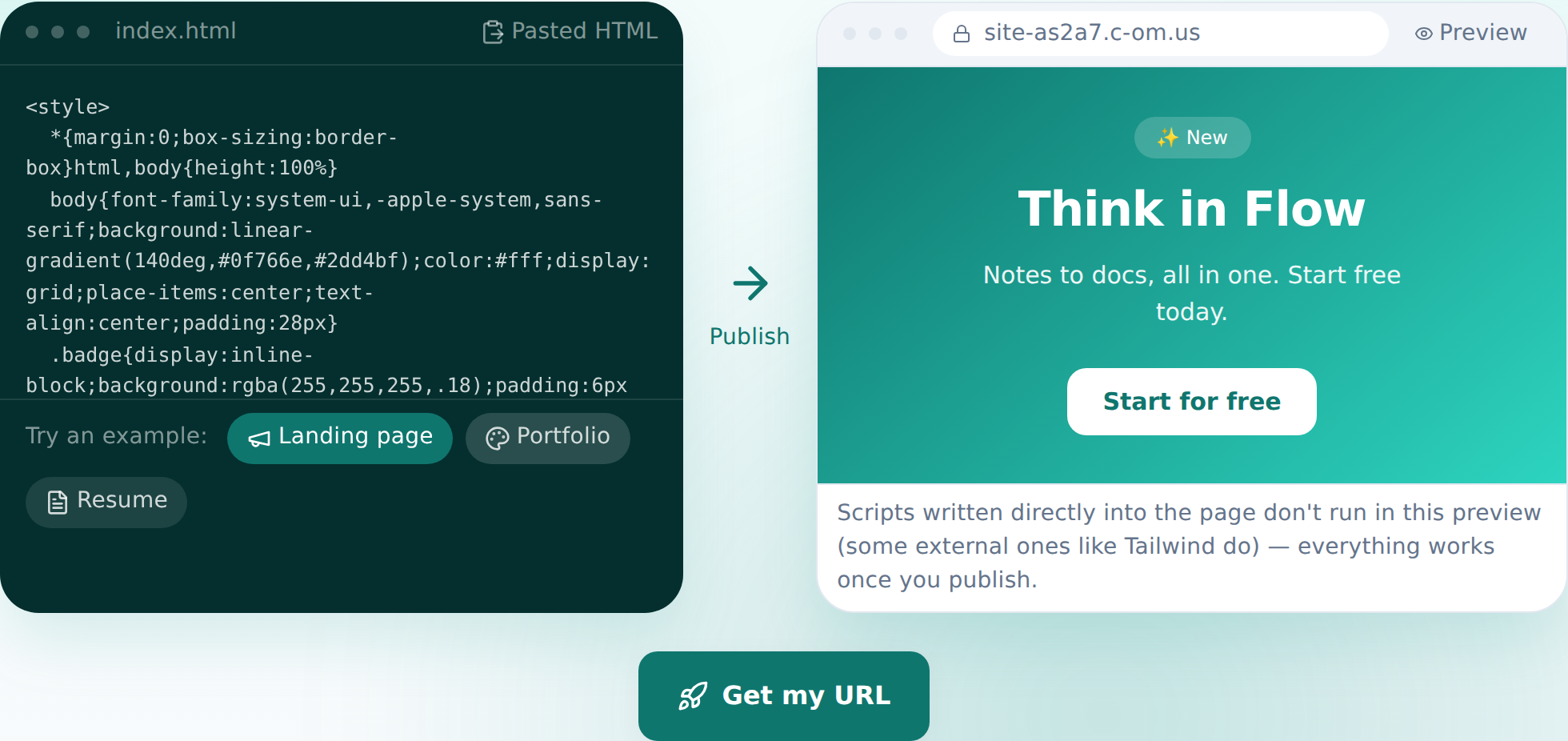
Paste, and the preview appears — this is the actual screen. - 3
Press “Get my address” and pick a name
Happy with the preview? Press the button, sign in once (your pasted code survives the round-trip), choose a name, and publish. Your site is on the internet from that moment. The free plan covers 2 sites and never asks for a card.
myname.c-om.us LivePublishing gives you an address like this instantly. Own a domain? Connect it on Starter and HTTPS is automatic.
- 4
Next time, edit by talking
You don't need to go back to ChatGPT for changes. In the editor, say what you want changed — the AI finds the right code, shows you the diff first, and one click reverts it if you change your mind.
Edit assistantMake the headline stronger Changed 3 spots. I can revert if you don't like it.
Frequently asked questions
Is it really free?
Yes. Up to 2 sites stay free, and we never ask for a card. Free sites carry a small “Made with HTMLtoSITE” badge; Starter and above remove it.
Does ChatGPT's code work as-is?
Yes. The HTML you paste is published exactly as-is. In the pre-publish preview, scripts written into the page don't execute — on the published site everything runs normally.
Can I have a multi-page site?
The free plan hosts a single HTML file per site. Multiple files — sub-pages, image folders — are available from Starter.
Can I use my own domain?
Yes. From Starter, connect a domain you own and the HTTPS certificate is issued automatically. On the free plan you use your c-om.us address.
Can I edit without knowing code?
Yes. Ask in plain language — “change the pricing numbers” — and the AI edits the code. You can click an element to point at it, and every publish leaves a snapshot you can roll back to.
Trying it is faster than reading about it — paste your HTML now.